

TraderSync is a powerful trading journal that goes beyond just logging your trades. It’s an all-in-one analysis tool designed to help you actively improve your performance.
Unlock the Secrets of Your Trading History: TraderSync isn’t just a notepad for your trades. It allows you to categorize your entries and exits, as well as any mistakes you made. This deepens your understanding of your historical performance and helps you identify patterns.
Effortlessly Track Your Progress: With TraderSync, you can see exactly which markets, times of day, and trade types are consistently profitable for you. No more sifting through mountains of data – TraderSync presents everything in clear, easy-to-digest reports.
Simulate Your Trading Success: Want to test a new strategy or eliminate a bad habit? TraderSync allows you to model your historical performance with different variables. See how your bottom line would change by focusing on specific setups or eliminating costly mistakes.
Backed by a Community of Traders: TraderSync isn’t just software, it’s a community of thousands of active traders. Gain valuable insights and inspiration from others who are serious about taking their trading to the next level.
Take a glimpse at some of the features TraderSync as to offers.
- Chart Your Stock Trades: Track your entries and exit points right using TraderSync interactive charts.
- Charting Targets and Stop Losses: Automatically chart your targets and stop losses so you have a visual representation of your trade planning.
- Intraday Charting: View the price action of your trade minute by minute.
- Upload Screenshots: Upload screenshots of your trading platform to recall exactly why you took the trade.
- Trade Specific Analytics: TraderSync will automatically track and display trade-specific analytics such as Return per share/contract, overall return, risk, and more.
- Simulate New Trading Strategies: Stock trading journals are meant to give you insight into your personal trading patterns. TraderSync takes it a step further in providing you with tools that allow you to simulate different trading scenarios based on your history.
- Share Trading Performance: Allow your mentor to easily access your stock trading performance including trade history, executions and performance reports.
- Track Commissions and Fees: Easily track commissions by either entering it manually, importing, or setting up rules for TraderSync to automatically add them as you add trades
TraderSync has four levels of pricing: Basic, Pro, Premium and Elite.
- The Basic plan provides you free access to journaling your trades by manually adding your executions into the application. You will still be able to access certain reporting and it is a great alternative to a spreadsheet trading journal.
- The Pro is $29.95 per month and includes additional benefit to help you on saving time and gaining more
- The Premium is $49.95 per month. Allows you to look deeper into your reports by the utilization of the evaluator and simulator to understand better your edge.
- The Elite is $79.95 per month. Allows you to save even more time by utilizing the A.I reporting to help you identify your edge and also uses the management tool to help you ensure you are trading within your trading rules.
You can always opt for a 7-day free trial which will provide you access to the highest tier for you to pick and choose the best plan that suits your needs.

Here where you see everything coming together. The dashboard is beautifully designed and customizable for you to keep track of what is truly relevant to you. TraderSync offers 40+ metrics widgets that you can add and position where it better fits your needs.
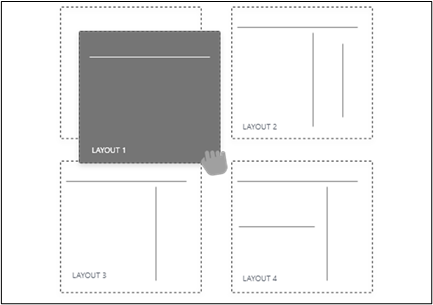
Easily customize the dashboard with over 20 widgets to reflect the data that matters to you.
TraderSync’s journal is the core of the application. This is where you can record your trades by adding them manually, uploading them or by a direct connection with your broker. Once you upload your trades, TraderSync encourages you to review each one of them and tag them with the setup(s) you used and also tag them with any mistake(s) if you made any during the trade.
They made this process joyful and frictionless, for you as an active trader to easily input your notes, screenshots and tags into each trade. As you review the trade, they give you a chance to reflect on this trade and to view the entry and exit points on the chart so you know exactly when you took the trades. For any active technical trader having this interactive chart showing the orders you took on the chart is a game changer when reviewing the trades.
- Journal Trades: The simplest yet most powerful stock trading journal to date. Build a vault of valuable information that can be analyzed at any time from anywhere.
- Stop Losing Profits: Refine your performance by learning which setups are not working for you and focus on the ones that are.
- Save Time: Import your stock trade history from your trading platform, simple and easy.
- Customize Your Experience: Custom tailor your stock journal to fit your unique trading style with highly customizable modules.

Here is where any active traders will spend their post-market review time. Once you have logged your trades during trading hours you will want to come to these beautiful reports and identify opportunities of improvements.
For example, these reports can get to answer questions like:
- Which setups are the top-performing that I should be focusing on?
- Under which condition these top-performing setups are best so I can focus on such?
- Is there a setup on which profit factor is doing well but perhaps I’m not trading as much as any other?
- Which mistakes are costing me the most money that I need to avoid?
- Am I more profitable when trading in the mornings when I trade small caps using a certain set up with a specific range of entry price?
TraderSync can obtain answers to pretty complex questions using their filters. Yet, for those who perhaps do not have the time, the A.I. reports back to you important information within your trading patterns that are difficult to find otherwise.

TraderSync’s AI comes into play when reviewing reports. It is intended to save you time on identifying your edge. Technically speaking, the A.I looks into all your trading data and determines if there is a positive or negative correlation between you being profitable and what you are trading and how.
The A.I could give you insights such as:
- Your best setup is the Gap and Go when you trade them in the mornings between 9:30 AM – 11AM when trading stock with price ranges between $1-$7.
- The alternative to identify such insight is to work around with your data for hours or days to potentially find any helpful information like this. TraderSync A.I saves you time by pre-mining the data for you.
Forget trying to interpret hundreds of spreadsheets of stock trading data. Replace those spreadsheets with TraderSync easy to use reports to understand your trading behavior quickly.
- Find and Refine Your Trading Edge: TraderSync have synthesized everything you need to know into two reports. Refine your stock trading from feedback generated reports designed to provide quick and useful information.
- Understand Your Numbers: TraderSync give you feedback in plain English. Let our trading journal software interpret your data.
- Get Powerful Feedback: Have a clear picture of your trading patterns with customizable reports that helps you understand your unique trading edge.
Management
You will want to create a set of trading rules based on what you have learned that is your edge. This as you know that one thing is to identify the edge but it is more difficult to truly understand and execute trades within a set of trading rules that allows you to perform best.
With the management tools, you can set your trading rules and closely track if you are sticking to your plan or not. At the same time TraderSync will build an equity curve showing you what your performance will look like assuming you only would have taken those trades that are within your plan.
TraderSync found this a highly valuable feature as it helps any active trader to stick to their rules.

Evaluate your current and future setup performances. Take the right direction based on your trading patterns.
Simulator:
Once you identify which setups to work, focus on using the Reports and Evaluator tools you will benefit from using the simulator. TraderSync simulator allows you to build “What If” scenarios to identify if there is an edge on what you are trading.
For example; What if I trade only the BullFlag setup in the mornings, going long, on Wednesdays and Fridays?
TraderSync using your trading data will build you a scenario showing you how you would have performed under these conditions, allowing you to determine if there you would have had an edge.
Evaluator:
It is easy for active traders to deviate themself and start trading new setups on these market changing days. When an active trader starts incorporating or adapting their setups to the new market conditions it is difficult to keep track of the progress.
Bottomline: the active trader wants to know how the setups or trading patterns are performing against each other to identify an edge. Here is where the evaluator comes into play. The evaluator allows you to stack trading patterns against each other and see how they have been performing over time.
For example: how is my Gap and Go setup performing against the BullFlag setup in the last 30 days for stocks with price ranges from $3 – $10.

Practice day trading stocks anytime now from the comfort of your browser within your TraderSync account.
Unlike any other market replay, you can make use of TraderSync inbuilt screeners, level II, times and sales, charting and your trades will be automatically synced with your trading journal allowing you to analyze your performance.
- Practice Trading: Select a day from the past, click play and start practicing your setup
- Replay Trades: Replay trades recorded on your journal with one click to relieve and analyze them.
- Analyze Trades: Your paper trades will be automatically synced with your journal, allowing you to analyze your progress.

TraderSync offers a mobile app that allows you to download from the Google Play app store or Apple app store. Some users have found the app can be a bit challenging at first, but after going through the tutorial videos, they were able to successfully use it with the desktop features.
There is nothing on Google Play nor the Apple store that comes close to what TraderSync offers in terms of tools for journaling through the mobile app. This one is free to use even
TraderSync Support Over 900+ Brokers snd supports assets like Stocks, Futures, Futures Options, Options, Forex and Crypto. Relevant to mention that if you trade options they are the only tool out there that can detect, group and automatically tag your trades with the Option Spread for the most common spreads.

- TraderSync offers many tools including journal, tagging, data, a simulator and management
- There is a multi-tier pricing structure ranging from Basic to Elite plans
- The company uses Amazon Cloud services, encryption and stores the data in multiple locations
- Modern, pleasing to use and intuitive trading journal.
- The use of artificial intelligence to determine hidden gems is a time saver when browning through reports.
- You can easily access your journal from any computer or through their mobile app.
- Different levels of pricing are available.
- Mobile app
- Phone support for customer service is not available, and online support is limited to between 9 a.m. and 5 p.m. EST.
- The level of service depends on the plans with the Basic plan receiving very limited tools.
TraderSync isn’t just a trading journal it’s an investment in your future success. By leveraging its powerful analytics and insightful reporting, you can gain a deeper understanding of your trading behavior and identify areas for improvement.
More Than Just Tracking: TraderSync goes beyond simple journaling. It empowers you to model the impact of different strategies and eliminate costly mistakes before risking real capital. This proactive approach can significantly improve your win rate and overall profitability.
A Trader’s Toolkit: With its intuitive interface and extensive features, TraderSync makes trade analysis enjoyable and efficient. Whether you’re a seasoned veteran or a new trader looking to build a solid foundation, TraderSync equips you with the tools and insights you need to navigate the ever-changing markets and develop a sustainable trading edge.
Join the TraderSync Community: As a TraderSync user, you’ll gain access to a vibrant community of active traders. Share your experiences, learn from others, and stay motivated on your trading journey.


